Smart, tidy entertainment centers start with the right mounting solution. This article reviews five reliable wall brackets and shelves designed to secure cable boxes, modems, DVRs, game consoles, and more behind your TV. Each option prioritizes adjustable fit, sturdy construction, and easy installation to help you tame the cable clutter without sacrificing accessibility.
| Product | Brand | Type | Key Benefit |
|---|---|---|---|
| Mount Plus MP-06-02 | Mount Plus | Adjustable Wall Mount | Wide device compatibility and simple install |
| woiron Cable Box Mount | woiron | Adjustable Wall Mount | Flexible depth and easy tightening |
| AHIER 13 Inch Cable Box Shelf | AHIER | Wall Shelf | Sturdy top shelf for TV setup |
| VideoSecu MTC02B | VideoSecu | Small Device Bracket | Open frame for accessibility and space saving |
| HumanCentric Adjustable Device Wall Mount | HumanCentric | Adjustable Wall Mount | Versatile dimensions for multiple devices |
Mount Plus MP-06-02 Cable Box Mount
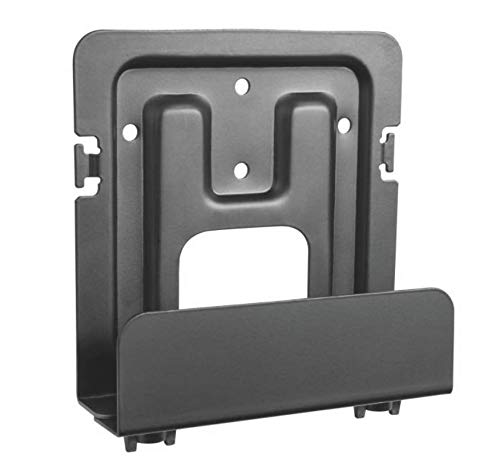
The Mount Plus MP-06-02 offers a flexible, adjustable wall mount designed for small and wide devices such as cable boxes, modems, media players, and game consoles. Its adjustable vertical height and length allow for a tailored fit in tight spaces behind a TV or on a wall beside entertainment components. The mount includes drywall screws and anchors for straightforward installation. After mounting, you can tighten the bracket to secure your device firmly, helping to create a clean, cable-free look in your living room. It also helps conceal cables for a more streamlined setup that complements most modern displays.
Cable Box Mount, Modem Mount by woiron
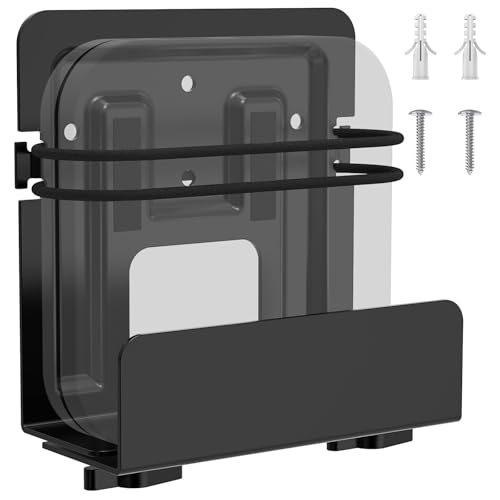
The woiron cable box wall mount is designed to keep cables out of sight while providing a secure, adjustable mounting solution behind a TV. It accommodates device heights up to 10 inches and adapts in length from 3.5 to 10 inches, with a depth range around 1.85 to 2.99 inches. Installation is simplified by the included hardware, and users can tighten the bracket to ensure a snug fit. This option supports a clutter-free media center by letting you position devices behind your TV or on the wall for easy access when needed.
AHIER 13 Inch Cable Box Shelf for Wall Mounted TV

The AHIER 13 Inch Cable Box Shelf provides a sturdy surface on top of a wall-mounted TV or stand to hold cable boxes, media boxes, and gaming consoles. Designed for a broad range of devices beyond cable boxes, the shelf supports up to 8.8 pounds and installs quickly without tools. Its flat top is ideal for placing wireless speakers, streaming devices, or remotes, with the added benefit of a clean, elevated surface to keep devices organized and within reach. This option is well-suited for rooms where a shelf configuration better suits the layout than a traditional wall bracket.
Mars Outpost Adjustable Brackets Wall Mount

The Mars Outpost adjustable brackets are a flexible mounting system designed for a range of devices, including DVRs, NVRs, routers, mini PCs, and media boxes. Compatible with devices 30-50 mm thick (1.18-1.97 inches), these brackets are suitable for compact, in-wall installations or under-desk setups. The universal design supports space-saving configurations while maintaining a clean, professional appearance. They are a good fit for users seeking a secure, adaptable solution across different devices in a tech-forward home.
HumanCentric Cable Box And Modem Mount
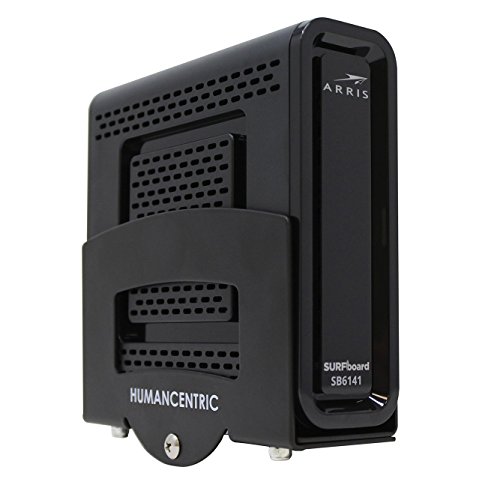
The HumanCentric mount emphasizes adjustable capacity with a vertical height range up to 10 inches and a generous vertical length range from 3.5 to 10 inches. Depth options extend from 1.8 to 2.9 inches, making it a versatile choice for many cable boxes, modems, and streaming devices behind a TV. Installation is quick with included drywall screws and anchors. The design focuses on hiding wires to achieve a tidy entertainment area while keeping devices accessible for routine repositioning or maintenance behind the TV.
VideoSecu Adjustable Small Device Wall-Mounted Bracket
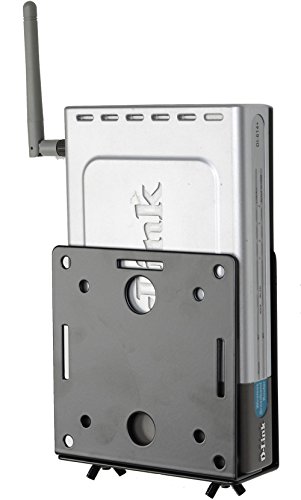
The VideoSecu MTC02B bracket is designed for small devices, offering an open frame that eases access to cables and ports. It supports devices from 1″ to 2″ wide, with a steel construction built for durability. The installation is described as quick and straightforward, enabling a space-saving solution behind or beside the TV for devices like cable boxes, media players, or game consoles. This bracket is a practical option for users prioritizing easy access and a minimal footprint.
HumanCentric Adjustable Device Wall Mount
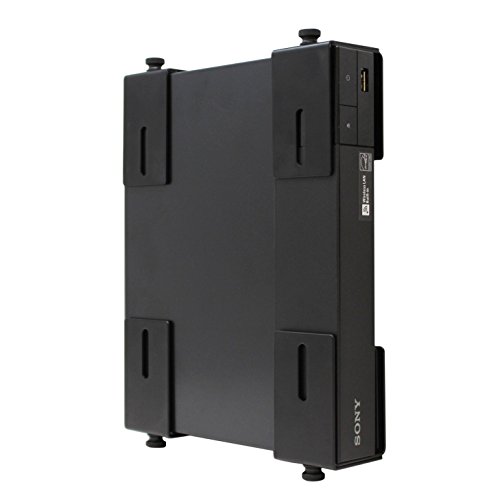
The second HumanCentric offering emphasizes adjustable height from 6 to 24 inches, length from 5.5 to 20 inches, and depth from 1.5 to 3.75 inches. This model addresses a wider range of devices, including cable boxes, modems, and streaming players. Quick-install hardware is included, with a secure tightening mechanism to keep devices stable. It supports a tidy, behind-the-TV arrangement that reduces cable clutter while maintaining easy access for routine maintenance or reconfiguration of your AV setup.
Buying Guide: Key Purchase Considerations
When choosing a wall bracket or shelf for a cable box or related devices, consider the following factors to ensure the best fit for your setup:
- Device dimensions: Compare your gear’s height, width, and depth with the mount’s adjustable range. Look for brackets that accommodate a variety of widths and depths to future-proof your purchase.
- Load capacity: Verify the weight rating to ensure support for all devices you intend to mount, including any modems, streaming boxes, or small gaming consoles.
- Installation space: Measure the space behind your TV or along the wall to confirm enough clearance for access to ports, cables, and vents.
- Accessibility: Some mounts offer open frames or quick-release features for easier cable management and device maintenance.
- Cable management: Look for designs that help conceal wires and minimize tangling, especially behind a wall-mounted TV.
- Mount type: Decide between wall-mounted brackets and wall shelves based on whether you prefer to place a box on a shelf or secure it directly to the wall for a sleeker profile.
- Durability and materials: Steel brackets generally offer stronger support; tempered glass shelves provide a stylish option but verify weight limits.
- Compatibility: If you own a mix of devices (DVRs, routers, game consoles), prioritize adjustable models that can fit multiple thicknesses and widths without requiring replacements.
- Installation simplicity: Consider whether the package includes the necessary screws, anchors, and simple step-by-step instructions for a straightforward setup.
- Aesthetic alignment: Choose a finish (black, white, or metal) that harmonizes with your TV, furniture, and wall color for a cohesive look.
In summary, the best wall bracket or shelf for a cable box balances adjustable fit, sturdy construction, and clean cable management. By evaluating device dimensions, mounting location, and accessibility needs, you can select a solution that keeps your entertainment area organized and functional without compromising ease of use.